How to make a blurry video sharp
Blurry video has four different causes. Each one needs different treatment, and one of them cannot be fixed at all. Diagnose before you process.
Fix by cause, not by tool
| Cause | Recoverable? | What to do |
|---|---|---|
| Compressed by a messaging app (block grid, dark-area noise) | Mostly yes | Denoise for block artifacts, then enlarge max 2x |
| Low light, high ISO | Partly | Denoise first, then enlarge. Accept flatter skin |
| Camera shake, whip pan | Barely | Pick a motion-tolerant preset, do not over-sharpen |
| True out-of-focus | No | Nothing. The sensor never recorded the detail |
Diagnose in ten seconds
- Pull one frame at full resolution.
- View it at 100%, not fitted to the window.
- Look at a hard edge — a hairline, a text stroke, a window frame.
Structure present means it can probably be sharpened. No structure at all means it is focus blur, and no tool will invent the real detail back. Stop there and save the time.
One caveat, measured further down: a single edge is a sample of one. It ranks the causes correctly on average and it does not reliably separate them on one frame. If the decision matters, measure a dozen edges and take the median rather than trusting the one that happens to be in view.
The order that works
- Denoise, targeting compression artifacts
- Enlarge at most 2x per axis
- Inspect at 100% on the hair edge
- Grade last
Enlarging first teaches the model the compression blocks and enlarges them too. The result looks sharp until you put it next to the source.
Why 2x is the ceiling
Past roughly 2x the model switches from reconstructing to inventing. Faces go waxy, small text becomes strokes that resemble letters without being them. A 540p source at 2x lands at 1080p, which is enough for anything watched on a screen. The 4K and 8K labels describe output resolution, not recovered information.
Long clips: split at keyframes
Segmenting without re-encoding keeps the source intact:
ffmpeg -i input.mp4 -c copy -f segment -segment_time 30 -reset_timestamps 1 seg-%03d.mp4Process each segment, then rejoin:
printf "file '%s'\n" seg-*.mp4 > list.txt
ffmpeg -f concat -safe 0 -i list.txt -c output.mp4
What each preset is for


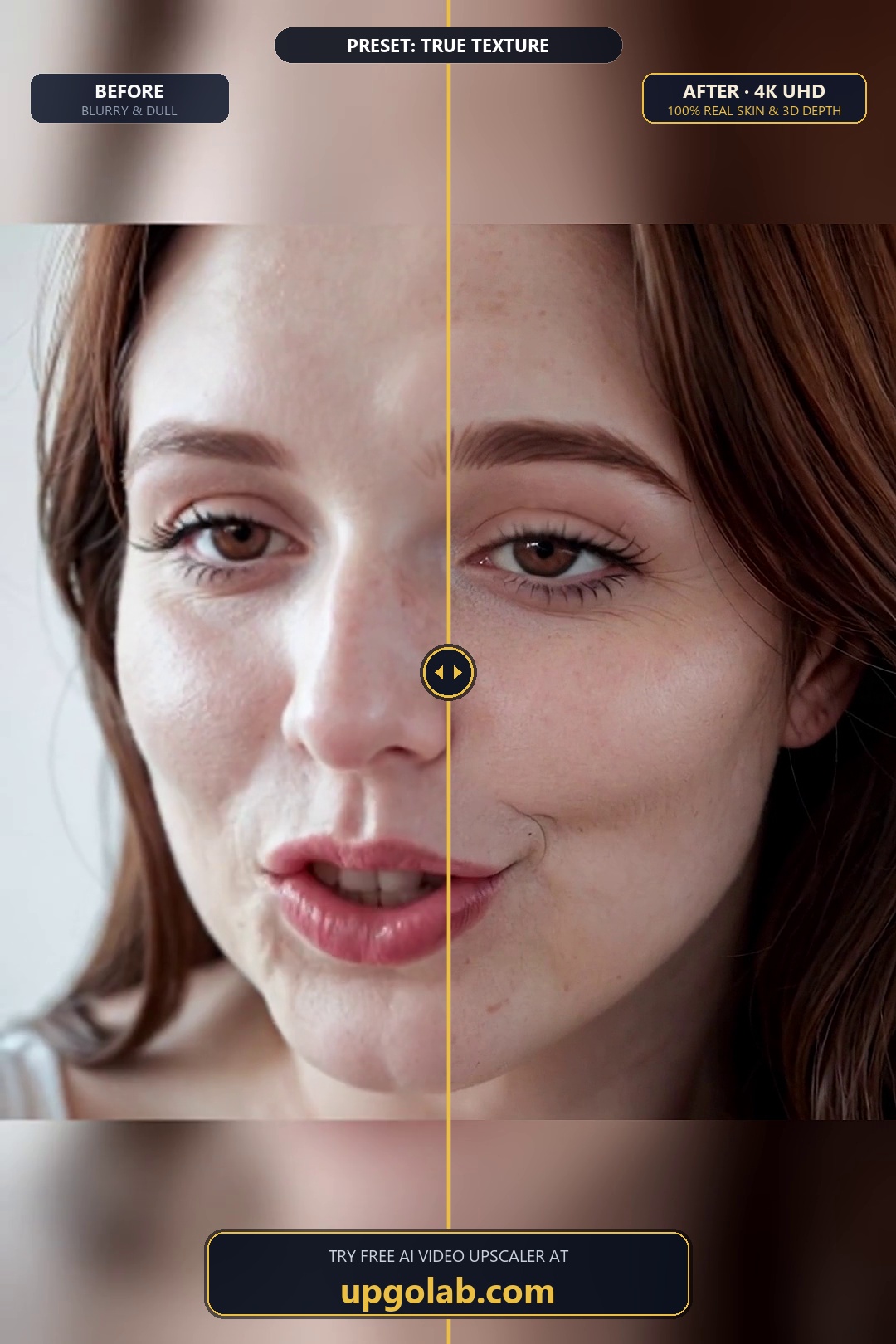
Measured: can you actually tell these four apart?
The table above says what to do for each cause. It never says how to find out which cause you are looking at, and that is where the wasted hour goes. So I built the four cases to specification and asked a narrower question: from the damaged frame alone, with no clean original to compare against, can a single number say which of the four you have?
Setup: a 1080×608 frame cropped from a real 1080×1620 photograph, three different crops of it, plus a synthetic test card. The source is each frame at 540×304, which is what a 540p clip gives you. Damage is applied at source resolution because that is where capture damage lives, then the frame is enlarged to 1080 with Lanczos and compared against the untouched original. Four contents, because a metric that only separates the causes on one image has separated nothing.
Four metrics, five states
| State | Block-step, period 8 | Anisotropy (x / y gradient) | Relative HF energy | Noise sigma, levels |
|---|---|---|---|---|
| clean 540p | 0.893–1.278 | 0.77–1.71 | 0.005–0.009 | 0.00–0.66 |
| x264, crf 40 | 1.287–1.797 | 0.95–3.16 | 0.004–0.008 | 0.00–0.17 |
| photon noise only | 0.958–1.066 | 0.89–1.42 | 0.009–0.014 | 3.05–4.78 |
| horizontal motion, 15 px | 0.870–1.063 | 0.17–0.69 | 0.002–0.005 | 0.00–0.17 |
| defocus, sigma 3 | 0.990–1.020 | 1.17–2.77 | 0.001–0.004 | 0.00–0.17 |
Noise sigma is the only clean classifier. 3.05–4.78 levels for the noisy frame, 0.66 or less for every other state on every content — a margin of 5× that needs no threshold tuning. It is also the only metric that falls under compression: 0.00–0.17 against 0.00–0.66 clean, because a codec discards the smallest variations and the estimator reads that as less grain. So a denoiser applied to an already-compressed clip is working on a frame that is partly denoised already.
Anisotropy finds horizontal motion, with a thin margin. Motion sits at 0.17–0.69; clean and defocused never go below 0.77. The direction matters: motion along x lowers the x/y ratio below 1, so the signature is the ratio falling. Getting that backwards is the easy mistake. The margin is real but not generous — worst motion 0.69 against the least anisotropic clean frame at 0.77, a gap of 10 %. A fixed threshold works here, and it works because the two clusters happen not to touch on these four frames.
Block-step energy finds compression within a frame and fails between frames. Within one content it is unmistakable: 0.920 clean becomes 1.287 compressed, a 40 % jump. Across contents the compressed range starts at 1.287 and the clean range ends at 1.278. Those two clusters miss each other by 0.7 %, which is not a separation, it is a coincidence. The reason is structural: a photographic frame with fine vertical detail every eighth column produces a high reading with no compression at all, and that is exactly what the synthetic card does clean (1.278, higher than three of the four compressed photo crops).
That limitation matters for everything below, so state it precisely. Block-step energy is reliable within one frame and unreliable between frames. It cannot tell you what is wrong with a clip you have never seen, which is the job it would need to do. It can tell you whether a filter removed a grid from a frame you already know is gridded, and that is a smaller and still useful job.
Relative HF energy is worse than useless: it inverts. Defocus 0.001–0.004 against compression 0.004–0.008, overlapping, and the defocused lower crop (0.0042) reads as having more high-frequency energy than the compressed centre crop (0.0037). Motion spans 0.002–0.005, straddling both. This is the first quantity anyone reaches for and it answers "is this frame soft", not "why is it soft".
The advice on this page, turned into a measurement
The page says: pull a frame, view at 100 %, look at a hard edge — structure present means it can probably be sharpened. That is a width measurement, so I made it one: equivalent edge width, step height divided by peak first difference, measured on the same edges before and after damage so the content cancels.
| State | x width / clean | y width / clean | median x |
|---|---|---|---|
| clean | 1.00 | 1.00 | 1.00 |
| x264, crf 40 | 0.95–1.52 | 1.12–1.47 | 1.23 |
| defocus, sigma 1 | 1.27–1.84 | 1.18–1.56 | 1.31 |
| defocus, sigma 3 | 2.04–2.62 | 1.67–3.03 | 2.47 |
| horizontal motion, 15 px | 2.50–3.40 | 1.21–1.58 | 2.93 |
Sorted by median width the order is the order the page implies: compression 1.23, mild defocus 1.31, sharp defocus 2.47, motion 2.93. The mechanism is right too — the harder the cause, the wider the edge. What the medians hide is that two of the pairs a triage decision rests on overlap: compression reaches 1.52 on one content while mild defocus begins at 1.27, and sharp defocus reaches 2.62 while motion begins at 2.50.
This is the honest failure of the experiment, and it is a failure of sample size rather than of the idea. "Look at a hard edge" is a real measurement that ranks causes correctly on average. It is not a diagnostic, because by eye you run it on one edge of one frame, and the spread above is exactly what one edge of one frame buys you. The fix is not to look harder. It is to measure a dozen edges and take the median, which is what the right-hand column does.
Normalise before comparing, or you are comparing content
Any PSNR here needs a ceiling: the same enlargement of an undamaged source. Without it you read how hard the frame is, not how much damage there is.
| Content | Ceiling, clean 540→1080 | Compression | Photon noise | Motion 15 px | Defocus sigma 3 |
|---|---|---|---|---|---|
| photo, upper crop | 35.48 dB | 78.9 % (7.5 dB) | 82.8 % (6.1 dB) | 75.1 % (8.8 dB) | 76.3 % (8.4 dB) |
| photo, centre crop | 40.36 dB | 71.2 % (11.6 dB) | 74.2 % (10.4 dB) | 65.2 % (14.1 dB) | 69.2 % (12.4 dB) |
| photo, lower crop | 35.66 dB | 82.3 % (6.3 dB) | 82.8 % (6.1 dB) | 81.3 % (6.7 dB) | 81.3 % (6.7 dB) |
| synthetic test card | 31.38 dB | 82.3 % (5.5 dB) | 92.3 % (2.4 dB) | 64.4 % (11.2 dB) | 68.3 % (9.9 dB) |
The ceiling alone spans 31.38–40.36 dB across four frames of the same size. That span is wider than the gap between most pairs of damage types on any single frame, which means an un-normalised comparison between two clips is mostly telling you about the clips. Normalised, the ordering still moves: on the test card motion is the worst case at 64.4 % of ceiling, while across the three photo crops motion and defocus stay within 4.0 percentage points of each other. "Compression recovers better than motion" is a fair rule of thumb and a poor measurement.
Does the order matter?
The page says denoise first, then enlarge, and gives a reason: enlarging first teaches the model the blocks. Test it with the tool the page prescribes for each cause, clean order against its reverse, full-reference metrics.
| Case | Upscale only | Prescribed order | Reverse order | Reverse − prescribed |
|---|---|---|---|---|
| compression, photo | 28.74 dB | 28.74 dB | 28.75 dB | +0.01 dB |
| compression, test card | 25.83 dB | 25.85 dB | 25.87 dB | +0.02 dB |
| noise, photo | 29.94 dB | 29.96 dB | 30.04 dB | +0.08 dB |
| noise, test card | 28.96 dB | 29.02 dB | 29.04 dB | +0.02 dB |
| defocus, photo | 27.92 dB | 27.86 dB | 27.87 dB | +0.01 dB |
PSNR cannot see the order at all. Every difference is under 0.08 dB and the reverse order wins 5 of 5. If that were the whole story the advice would be folklore. It is not the whole story, and the reason is a measurement problem: a deblocker removes a periodic structure covering a few percent of the pixels, and a mean squared error over the whole frame barely registers it. Measure the structure instead.
| Variant, 1080 output | Block-step, period 16 | Distance from undamaged | Content retained | PSNR |
|---|---|---|---|---|
| undamaged source (target) | 1.078 | 0.000 | 1.000 | 40.36 dB |
| upscale only | 1.547 | 0.469 | 0.591 | 28.74 dB |
| deblock p8 before upscale | 0.944 | 0.134 | 0.609 | 28.74 dB |
| deblock p8 after upscale | 0.748 | 0.329 | 0.619 | 28.75 dB |
| deblock p16 after upscale | 0.747 | 0.330 | 0.619 | 28.75 dB |
| boxblur before upscale | 1.175 | 0.097 | 0.534 | 28.71 dB |
| boxblur after upscale | 1.214 | 0.136 | 0.573 | 28.80 dB |
Two readings, and the second is the interesting one. First, the order does have an effect PSNR cannot see: deblocking before the enlargement lands 0.134 from the undamaged value, deblocking after lands 0.329, and content retention is the same either way (0.609 against 0.619). So the after version is not globally blurrier — it is specifically flatter at the block boundaries, where it overshoots.
Second, the obvious explanation is wrong. I expected the after version to fail because a period-8 deblocker meets a period-16 grid, so I ran the correction: the same filter at period 16 on the enlarged frame. It changes nothing. 0.748 against 0.747, a distance of 0.329 against 0.330. The period-mismatch hypothesis is refuted on this frame, and the row is here so that stays on the record. The surviving explanation is footprint: a block edge is one pixel wide at 540 and two at 1080, so the same filter window covers the edge and its neighbours after enlargement, and flattens real detail along with the seam. That is why the advice to denoise before enlarging is correct, and it is not for the reason the page gives.
The two box-blur rows are the control. A blur has no idea where block boundaries are, yet at 0.097 before the enlargement it looks closer to the undamaged value than any deblocker. Read the content column and the illusion dies: it retains 0.534 of the off-boundary gradient where the deblocker retains 0.609. It scored well by removing everything, which is the failure mode the grid metric alone cannot detect. Both columns are needed, which is the reason this section has five.
Sharpening, by cause
The page recommends sharpening as part of the compression pipeline and warns against it for motion. Swept from 0 to 200 %, same frame, SSIM against the untouched original.
| Cause | 0 % | 50 % | 100 % | 200 % | Edge energy |
|---|---|---|---|---|---|
| compression | 0.8504 | 0.8450 | 0.8400 | 0.8266 | 4.05 → 5.83 |
| motion | 0.8307 | 0.8274 | 0.8245 | 0.8152 | 2.43 → 3.65 |
| defocus | 0.8483 | 0.8456 | 0.8436 | 0.8367 | 2.11 → 3.10 |
SSIM falls monotonically in all three, including the case the page recommends it for: compression goes 0.8504 → 0.8266. PSNR disagrees, moving by less than a tenth of a decibel in every row. Two metrics pointing opposite ways on the same frames is the signal that what is being added is not information: edge energy climbs 4.05 → 5.83 while the frame moves further from the original, which is what an edge-contrast operation does. Sharpening is worth having when the viewer already knows what the edge should look like — a logo, a face, a familiar object. For a stranger judging a 100 % crop, it is a halo with a more flattering PSNR.
What the 2x ceiling is really made of
"Past 2x the model invents" reads like a property of the model. Same frame, six source widths, all enlarged to 1080, makes it a property of the source.
| Source long edge | Factor to 1080 | PSNR | SSIM | Source PNG |
|---|---|---|---|---|
| 270 px | 4.00× | 34.94 dB | 0.9446 | 63 kB |
| 360 px | 3.00× | 37.03 dB | 0.9655 | 103 kB |
| 405 px | 2.67× | 38.03 dB | 0.9721 | 126 kB |
| 540 px | 2.00× | 40.36 dB | 0.9853 | 205 kB |
| 675 px | 1.60× | 40.59 dB | 0.9886 | 295 kB |
| 810 px | 1.33× | 41.54 dB | 0.9921 | 394 kB |
Doubling source width from 270 to 540 buys 5.42 dB. Going from 540 to 810 buys 1.18 dB for 1.9× the pixels. And the two routes to the same 1080 output: 270 at 4× scores 34.94 dB, 540 at 2× scores 40.36 dB. A 5.4 dB gap between two enlargements of the same frame to the same size is not the factor. It is the source: the 4× route never had the detail to carry. "The model invents past 2x" and "there is nothing left to reconstruct past 2x" describe the same wall from two sides, and only the second one tells you what to do about it.
Reproduce it
numpy and ffmpeg only. No model, no network, deterministic — the noise seed is fixed at 49 in the full script.
import subprocess, numpy as np
from PIL import Image

def luma(im):  return np.asarray(im, float).mean(axis=2)

def sigma(im):
    """median-absolute-deviation noise estimate, insensitive to textured edges"""
    a = luma(im)
    k = np.array([[1,-2,1],[-2,4,-2],[1,-2,1]], float)
    h, w = a.shape
    acc = np.zeros((h - 2, w - 2))
    for dy in range(3):
        for dx in range(3):
            acc += k[dy, dx] * a[dy:dy + h - 2, dx:dx + w - 2]
    return float(np.median(np.abs(acc - np.median(acc))) / 0.6745 / 6.0)

def aniso(im):
    """x/y gradient ratio; horizontal blur drives it below 1"""
    a = luma(im)
    return float((np.diff(a, axis=1)**2).mean() / (np.diff(a, axis=0)**2).mean())

def blockstep(im, period):
    """mean gradient on block boundaries / mean gradient between them"""
    a, out = luma(im), []
    for axis in (1, 0):
        d = np.abs(np.diff(a, axis=axis))
        n = d.shape[axis]
        on = ((np.arange(n) + 1) % period) == 0
        out.append(d[:, on].mean() / d[:, ~on].mean() if axis == 1
                   else d[on, :].mean() / d[~on, :].mean())
    return float(np.mean(out))

im = Image.open("frame.png").convert("RGB")
subprocess.run(["ffmpeg","-y","-loglevel","error","-loop","1","-i","frame.png",
                "-t","0.1","-r","10","-c:v","libx264","-crf","40",
                "-pix_fmt","yuv420p","t.mp4"], check=True)
subprocess.run(["ffmpeg","-y","-loglevel","error","-i","t.mp4",
                "-frames:v","1","crf40.png"], check=True)
c = Image.open("crf40.png").convert("RGB")

print(f"sigma {sigma(im):.2f} {sigma(c):.2f}")
print(f"aniso {aniso(im):.2f} {aniso(c):.2f}")
print(f"block {blockstep(im, 8):.2f} {blockstep(c, 8):.2f}")
Expected output on the centre photo crop:
sigma 0.66 0.16
aniso 1.53 1.79
block 1.00 1.36
Frequently asked
How do you fix a blurry video?
Identify the cause first. Compression blur responds to denoising then 2x enlargement. Low-light blur needs denoising before anything else. Motion blur barely responds. True focus blur is permanent.
Can AI make an out-of-focus video sharp?
Only partly. AI reconstructs plausible detail, it does not recover the real detail. On a soft subject it produces convincing but invented texture.
What is the maximum useful upscale factor?
About 2x per axis. Past that the model invents rather than reconstructs.
How can you tell which cause of blur you are looking at?
Measure rather than look. Noise sigma separates a low-light frame by two orders of magnitude, gradient anisotropy below 1 reveals horizontal motion, and block-step energy at the grid period reveals compression within a single frame. A single edge inspected by eye ranks the causes correctly on average but its spread overlaps between causes, so it is not a reliable diagnosis on one frame.
How do you remove compression blocks from a video?
Treat them as structure, not noise. Denoise for block artifacts specifically, then enlarge.
How do you upscale a video longer than the tool allows?
Split at keyframes, process each segment, rejoin with concat. Cutting on keyframes keeps the seam invisible.
Tools
I put this pipeline into UpgoLAB — browser-based, eight presets by damage type rather than one slider, free during launch, no card, no watermark. Photos to 4 MP, clips to 30 seconds. Run it here: https://upgolab.com
Comparison against Upscayl, Video2X and Topaz: four-way comparison. Free replacement options for Topaz: Topaz alternatives.